Releases
This tutorial will teach you how to craete, release and check releases
Concept
The release is the process of sending the composition’s application to the devices of the fleet. Release contains a snapshot of each device’s variables (including Global, composition and fleet variables) and the version of the composition.
Creating the first release
Go to the Composition tab. Choose a copmosition you want to make a release with. There are button that allow you to make a release, see next screenshot:
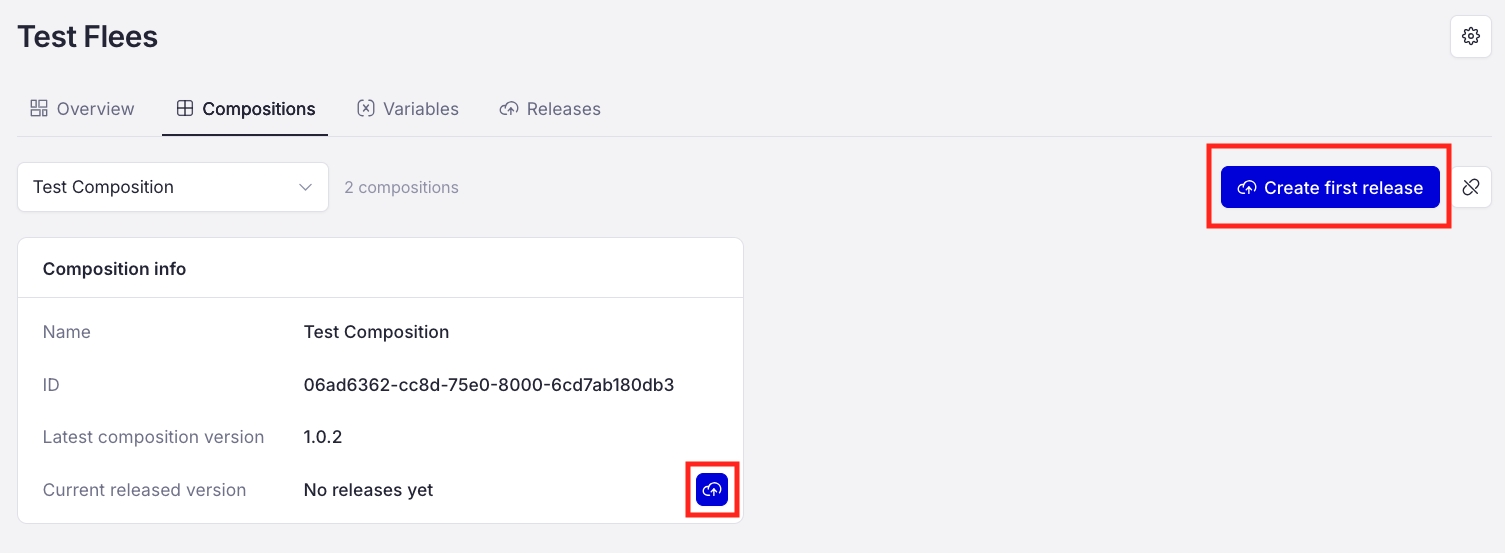
Click one of those buttons to proceed. You will be prompted to specify the version of composition you want to deploy with release.
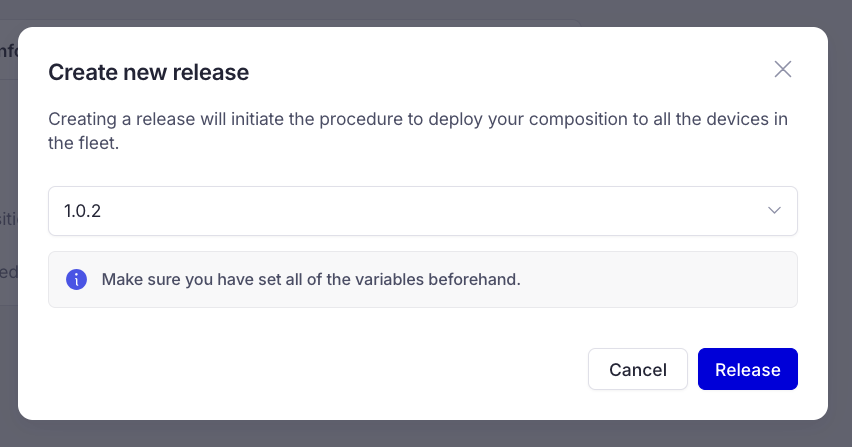
After you have chosen the version you are going to deploy, click the Release button and the release will start.
Checking release status
It is possible to check release status on each device separately, and there are dashbords for you to easily understand how mak=ny devices succeded, how many failed and how many are still to go.
Below you can see the dashbords on different point of release:
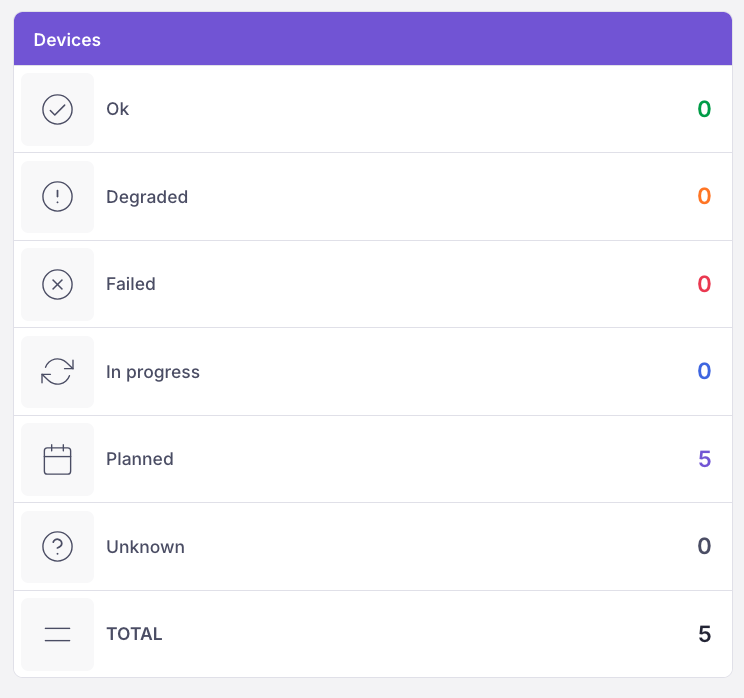
The release have just started
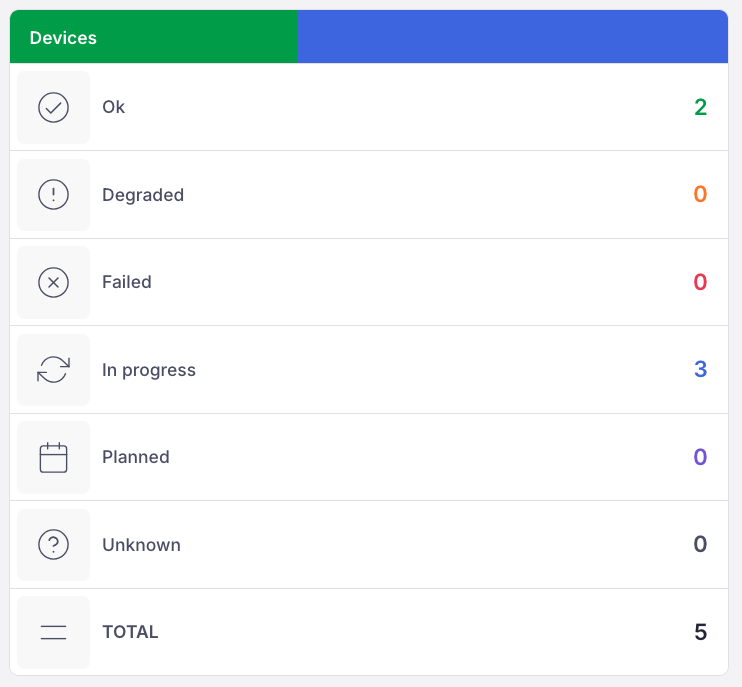
2 devices are already done, 3 are still in progress
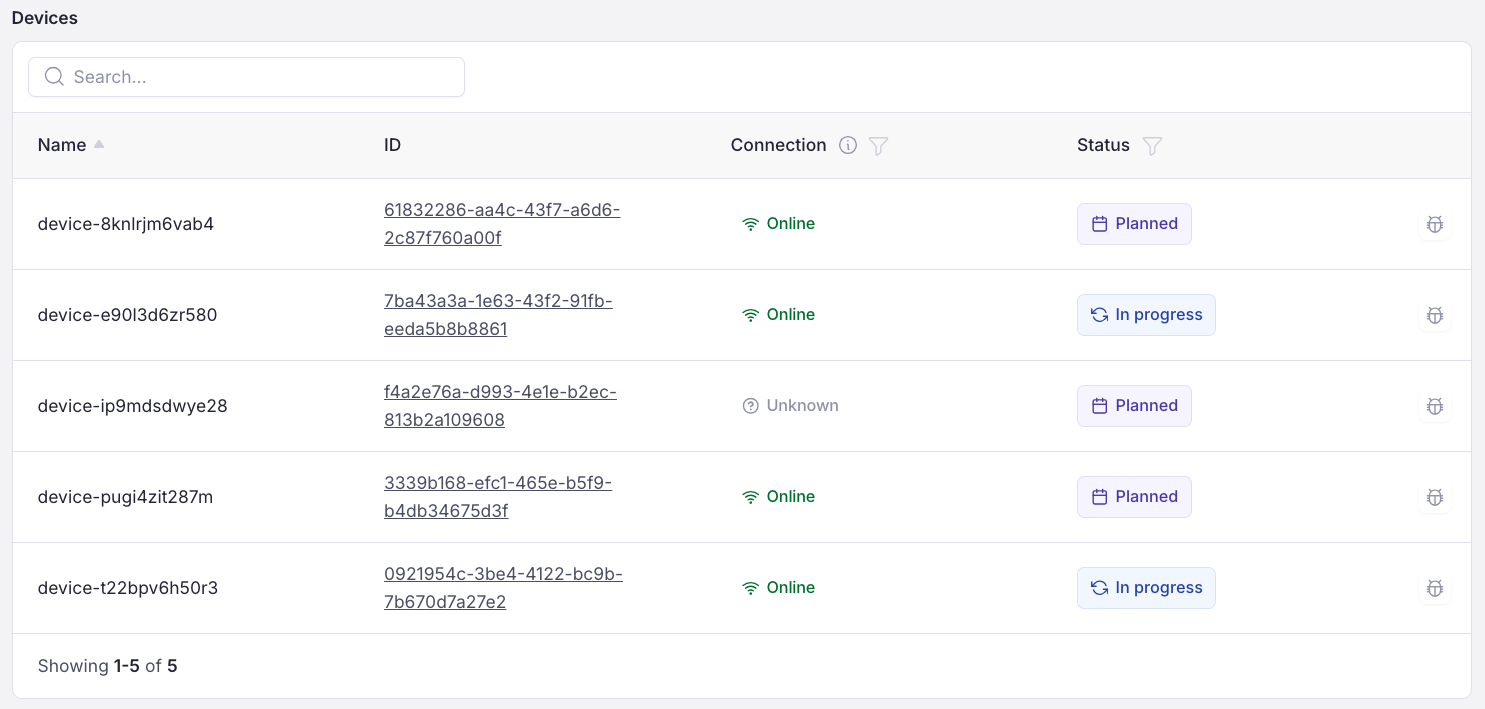
Device section on the overview page. You see each devices’ status separately
This dashboard can help you identify how many devices had problems to srart the release, how long does it take to push and run release on all of your devices. The dashboard will also show you how many devices are still running outdated version of release in Degraded row.
You can check how application is working using the device terminal. See TERMINAL / DEVICE